
iPhone beta · For producers and sample makers
Beats and samples with one link.See who listens and when.
Over email, WeTransfer or Drive you send the files and wait. Here you see who opened the link and which beats they played.
Free · iPhone with iOS 16 or later · Two steps, two minutes
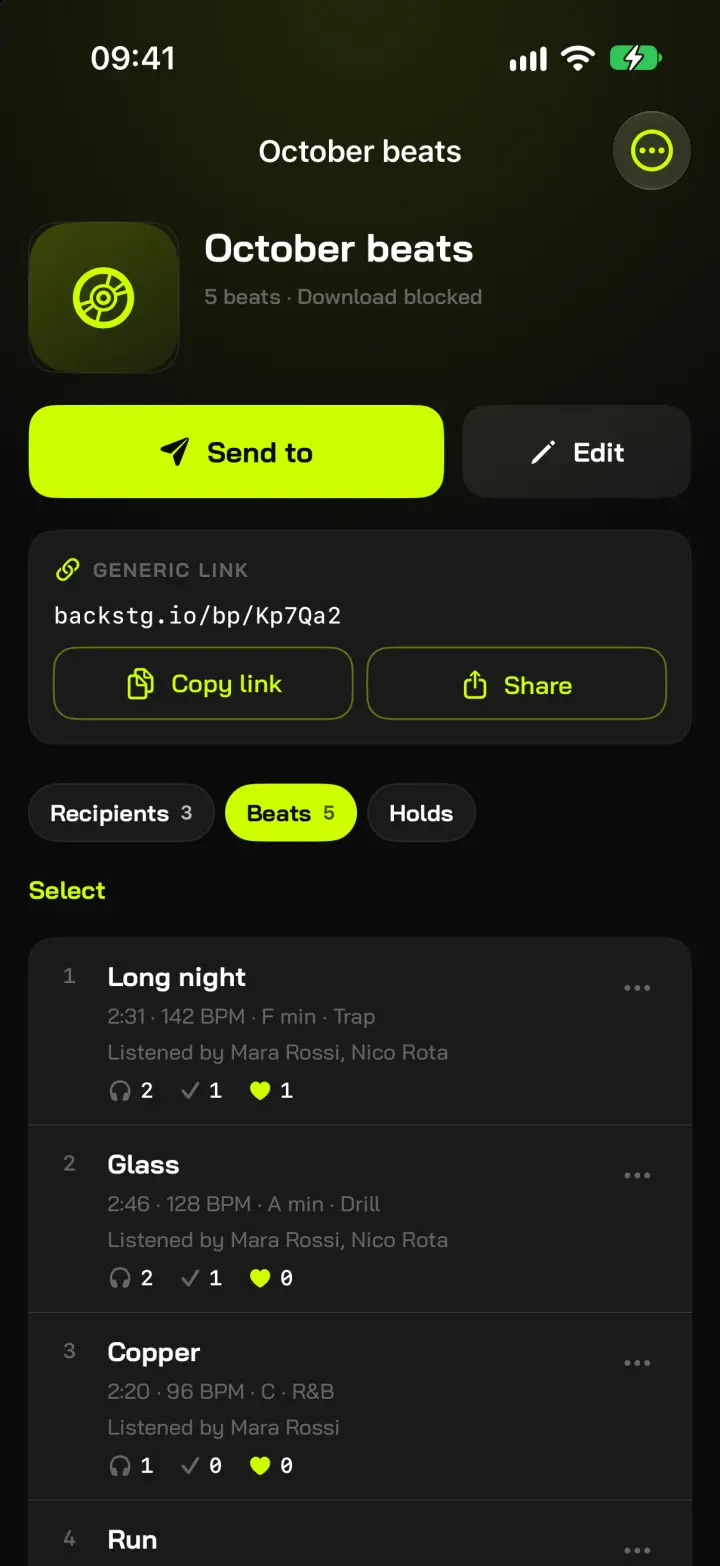
Send a pack with one link.
No attachments and no shared folders to tidy up. Pick the beats and send the link.
- One link per packPick the beats, send the link. No attachments, no files to compress.
- A different link for each personSend from the app or by email, and each recipient gets their own.
- Download allowed or blockedDecide whether people can download the files or only listen.
- Listeners do not need an accountThey open the link in the browser and listen.
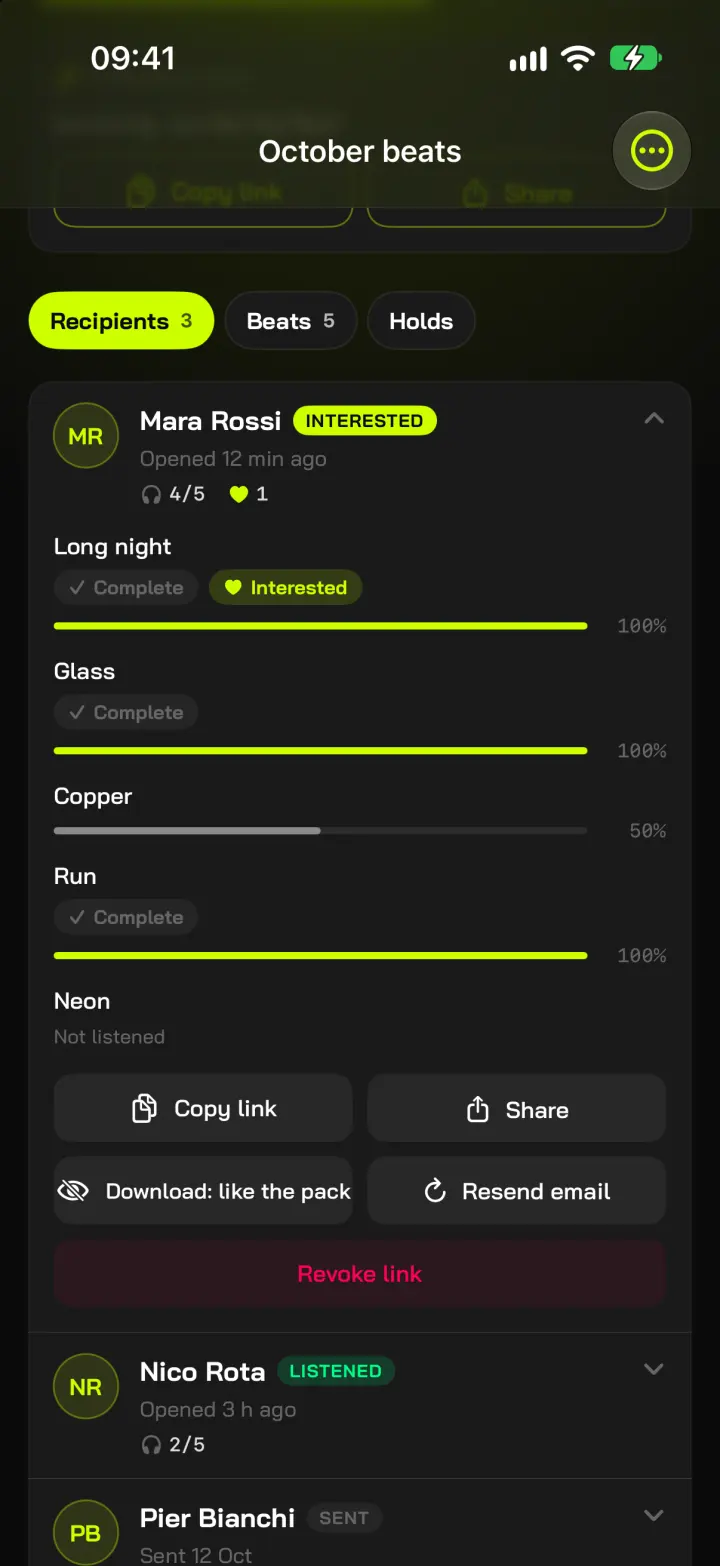
Know who opened it and how far.
For each person: when they opened it, what they played and how much.
- When they opened the linkEach recipient has their own row: “Opened 12 min ago”.
- Beat by beat, and how farSee which beats they played and the percentage, skipped beats included.
- Interested and holdsListeners mark the beats they like or ask for a hold. You see it in the app.
- Revoke any timeOne tap and the link stops working.
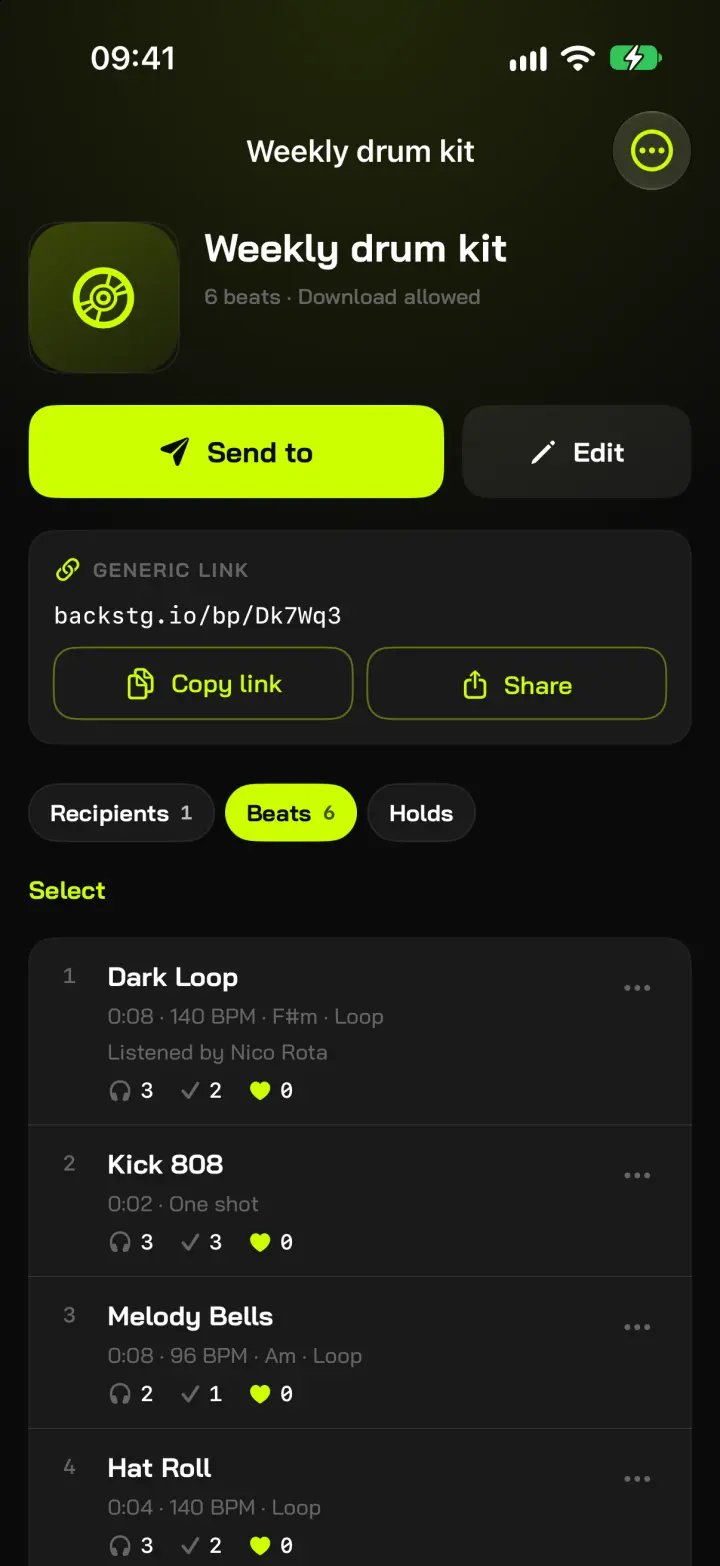
Loops and samples in one folder.
A kit, a loop pack or the week’s beats stay in order and share with one link.
- Folders for kits, loops and one shotsA drum kit, a melody pack, the week’s work: one folder each.
- BPM, key and type on each beatEvery file shows length, BPM, key and whether it is a loop or a one shot.
- One generic link per folderCopy it or share it from the app, in a message or a story.
- Listens per beatFor each file: who listened, how many times, how many finished it.
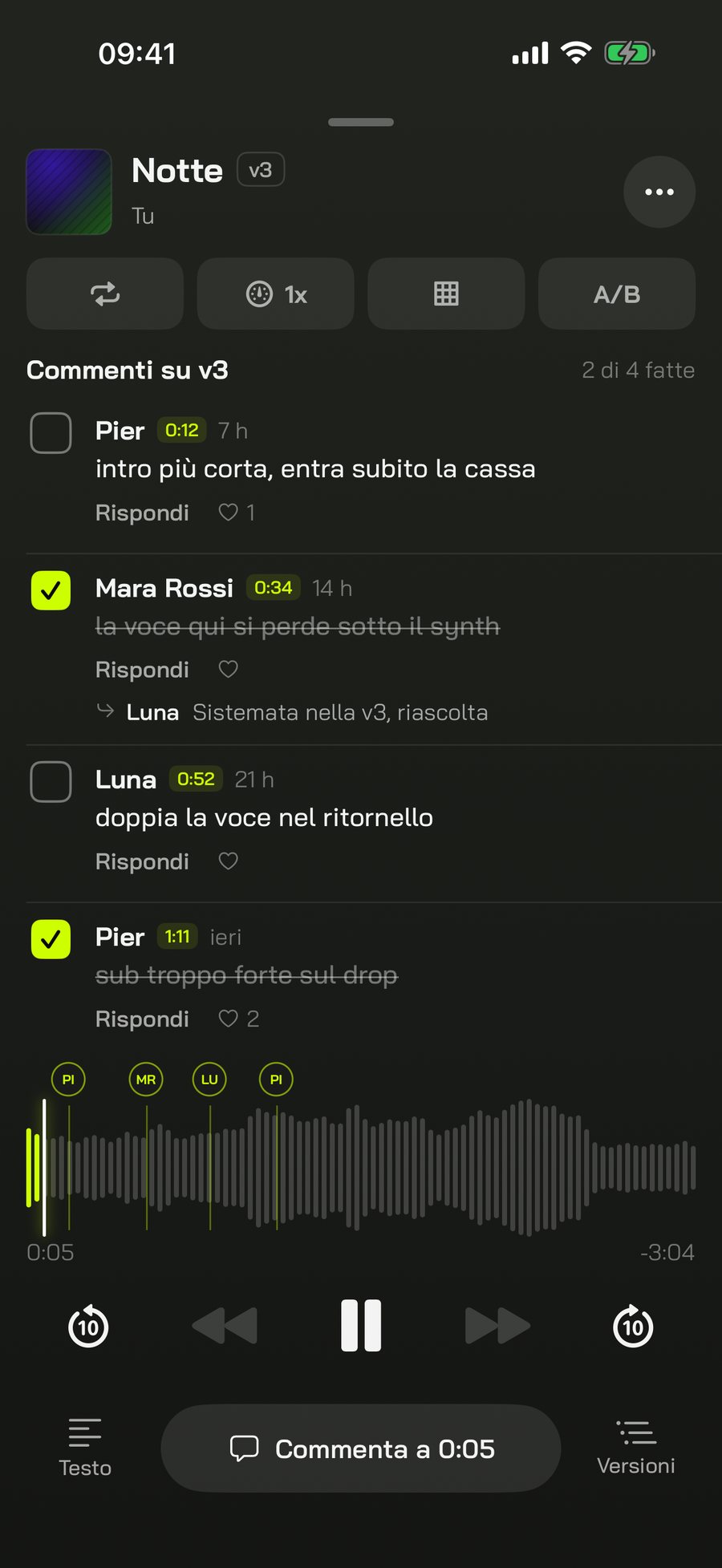
Versions and comments on the track.
When a beat becomes a track, every mix stays in place and listeners comment on the exact second.
- Versions v1, v2, v3Upload the new mix and the old one stays, with its note.
- A/B comparisonSwitch between versions at the same second.
- Comments on the exact second“0:38, the bass covers the kick”: the comment stays on that spot of the waveform.
Two steps on your iPhone.
- 1
Install TestFlight from the App Store
It is Apple’s app for betas. Skip this if you already have it.
Open TestFlight on the App Store - 2
This beta is iPhone only: on Android the app is on Google Play. The app follows your phone’s language.
Open this page on your iPhone
backstg.io/beta
FAQ
Yes. You start on the Free plan, no card. It includes one active pack of up to 20 beats. Paid plans remove the limits.